
Why music recognition sometimes doesn’t work?
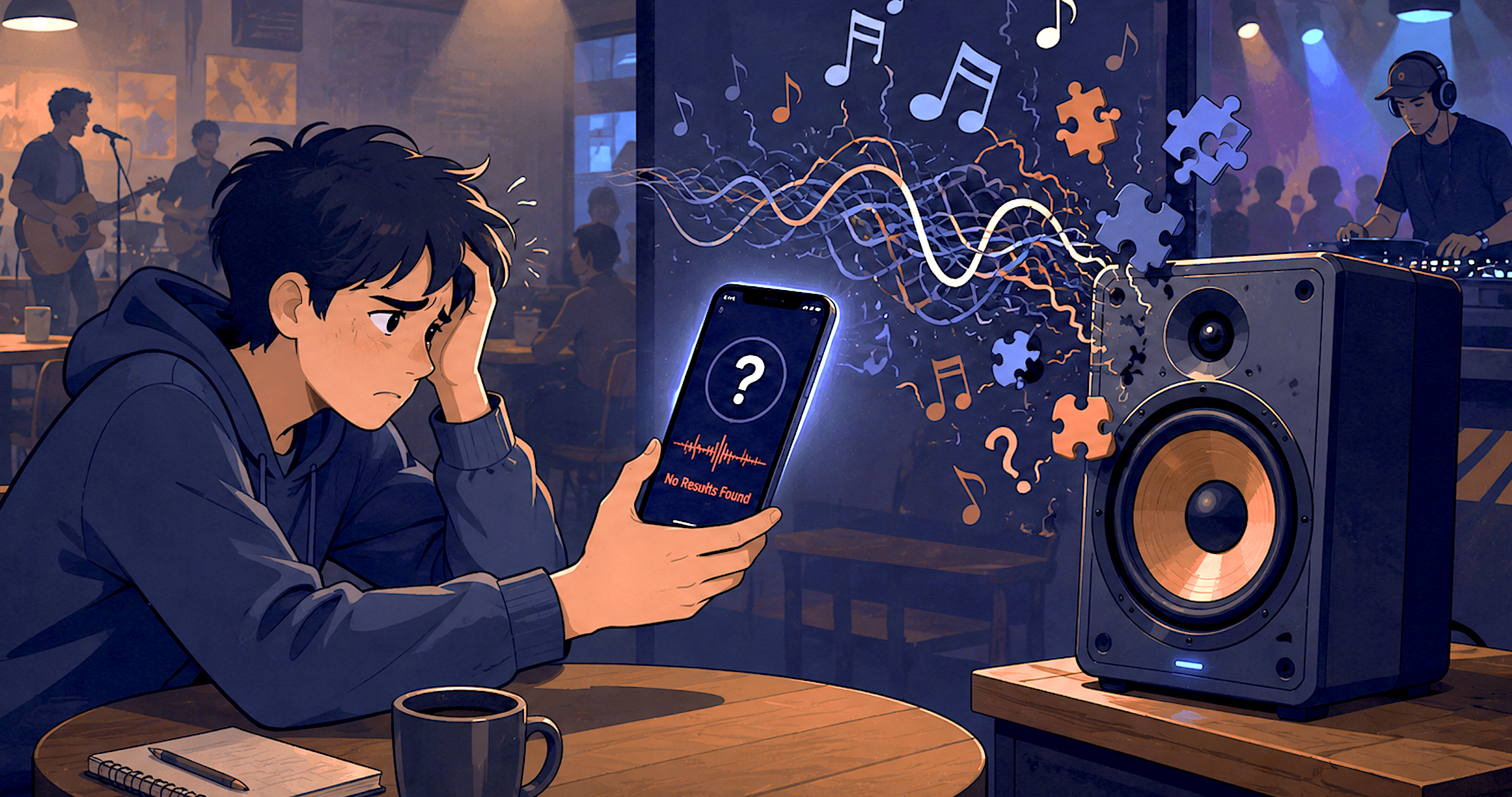
Have you ever been at a party or listening to the radio, heard an incredible new track, and quickly pulled out your phone to identify it, only to be met with a disappointing „No results found“ message? You turn up the volume, move closer to the speaker, and try again, but nothing happens. It’s one of the most frustrating moments for any music lover.
You’re not alone in this struggle. When music recognition sometimes fails to work, leaving your question of the day unidentified, it often feels like technology has let you down. But the truth is more fascinating than a simple „app glitch.“ Behind the sleek interfaces of Shazam, SoundHound, and tools like our own Music Identifier lies a complex world of audio fingerprinting, vast databases, and advanced signal processing.
In this in-depth article, we’ll examine the technical reasons why apps struggle to recognize songs, from low-quality audio to complex live performances. By the end, you’ll understand the invisible challenges of musician recognition and know exactly what to do to increase your chances of a successful match.
How modern song recognition actually works
To understand the errors, you first need to understand the process. Modern music recognition tools don’t „hear“ music the way a human does. They convert audio into a unique digital identifier known as an acoustic fingerprint.
When you record a snippet of a song, the app analyzes the audio by converting it into a spectrogram, a visual representation of sound frequencies over time. The software looks for specific „peaks“ in the audio spectrum that form a unique configuration. This configuration is then converted into a hash code, which is compared to a vast database of pre-calculated fingerprints of millions of tracks.
If the app finds a fingerprint that matches yours within a certain confidence threshold, it returns the song title, artist, and album art. If not, you’ll receive an error message.
Music recognition websites like Shazam, SoundHound , and other similar programs are very popular today. Many people use them to quickly find out what song is currently playing on the radio, on television, or in a café. However, sometimes the app doesn’t show a result or identifies the wrong song. In this article, we explain simply and clearly why music recognition sometimes doesn’t work.
Too much background noise
Ein sehr häufiger Grund ist Lärm im Hintergrund. Wenn du ein Lied in einem lauten Raum hörst, zum Beispiel auf einer Party, auf der Straße oder in einem Restaurant, dann nimmt dein Handy nicht nur die Musik auf. Es hört auch Stimmen, Autos oder andere Geräusche.
Diese Geräusche stören die App. Sie kann das Lied dann nicht klar erkennen. Deshalb ist es besser, die Musik erkennen an einem ruhigen Ort zu benutzen.
Schlechte Internetverbindung
Musik erkennen Website braucht fast immer Internet. Sie senden einen kleinen Teil der Musik an einen Server. Dort wird die Musik mit einer großen Datenbank verglichen.
Wenn dein Internet langsam ist oder gar nicht funktioniert, kann die App keine Verbindung herstellen. Dann bekommst du entweder kein Ergebnis oder eine Fehlermeldung. Achte also darauf, dass dein WLAN oder dein mobiles Internet gut funktioniert.
Die Musik ist zu leise
Wenn die Musik sehr leise ist, kann dein Mikrofon sie nicht gut aufnehmen. Die App hört dann nur ein schwaches Signal. Das reicht oft nicht aus, um das Lied zu erkennen.
Drehe die Lautstärke etwas höher oder gehe näher an die Musikquelle heran. So bekommt die App ein klareres Signal.
Das Lied ist sehr neu oder unbekannt
Nicht jedes Lied ist in der Datenbank der App gespeichert. Manche Lieder sind ganz neu oder von kleinen Künstlern. Auch Lieder aus anderen Ländern oder alte Aufnahmen fehlen manchmal.
Wenn ein Lied nicht in der Datenbank ist, kann die App es nicht finden. In diesem Fall funktioniert die Musikerkennung zwar technisch, aber es gibt trotzdem kein Ergebnis.
Schlechte Qualität der Aufnahme
Manchmal ist die Musik verzerrt oder sehr unsauber. Das kann passieren, wenn der Lautsprecher kaputt ist oder das Lied über ein schlechtes Gerät abgespielt wird.
Auch ein altes Handy mit einem schwachen Mikrofon kann Probleme machen. Je besser die Aufnahme, desto höher ist die Chance, dass die App das Lied richtig erkennt.
Zu kurze Aufnahmezeit
Viele Nutzer stoppen die App zu früh. Doch die Musik erkennen braucht ein paar Sekunden, um genug Informationen zu sammeln.
Wenn du die App nur zwei oder drei Sekunden laufen lässt, reicht das oft nicht. Warte besser 10 bis 15 Sekunden, damit die App genug Zeit hat.
Probleme mit der App
Manchmal liegt das Problem nicht bei dir, sondern bei der App selbst. Vielleicht gibt es gerade ein technisches Problem oder ein Update fehlt.
In diesem Fall hilft es oft, die App zu aktualisieren oder neu zu starten. Manchmal lohnt es sich auch, das Handy einmal aus- und wieder einzuschalten.
Tipps für bessere Musik erkennen
Hier sind einige einfache Tipps, damit das Erkennen der Musik besser funktioniert:
- Nutze die App an einem ruhigen Ort
- Achte auf gutes Internet
- Halte dein Handy nah an die Musik
- Warte lange genug
- Aktualisiere die App regelmäßig
Wenn du diese Tipps befolgst, bekommst du meistens bessere Ergebnisse.
Häufig gestellte Fragen
Q: Why isn’t Shazam working on my phone anymore?
A: Sometimes app permissions are the culprit. Check your microphone permissions in your phone’s settings. If that doesn’t work, reinstalling the app often fixes hidden bugs.
Q: Why doesn’t my music app recognize songs from old movies?
A: It’s likely that the specific soundtrack recording used in that movie isn’t in the app’s library. This is more of a database coverage issue than a technical malfunction.
Q: Can AI improve music recognition in the future?
A: Absolutely. Researchers are currently integrating AI and machine learning into audio fingerprinting to make systems more resilient to background noise and distortion.
Future systems will likely rely less on exact audio hashes and more on understanding emotional and structural patterns.
Q: Can music recognition produce false positives?
A: Yes. If the threshold is set too low, systems may incorrectly identify a mismatched audio segment, resulting in a false positive. Developers typically mitigate this by analyzing historical data to find thresholds that minimize both types of errors.
Q: How does automatic content identification differ from standard song recognition?
A: Standard identification compares a query against a database to find an exact match between recordings. ACR, on the other hand, is often used for version or cover identification. The goal is to recognize the underlying composition, regardless of how it’s performed in a different key, tempo, or with different instruments.
Conclusion
Music recognition is a very practical feature, but it doesn’t always work perfectly. Noise, poor internet connection, quiet music, or unfamiliar songs are often the main reasons for problems.
With a few simple tricks, you can significantly improve your chances. This way, you can find out more quickly which song is currently playing and discover your favorite music anytime.